Built like a Magic Keyboard
Innovative floating cantilever stand offers stable multi-angle adjustability for ideal viewing and typing.


Our flagship magnetic keyboard for iPad, built with an ultra-thin 3.98mm CNC-machined aluminum base, a large glass trackpad and per-key RGB lighting with 16.8 million colors and 10 dynamic effects. Edge Pro delivers adjustable floating angles, precise gesture control and a built-in Apple Pencil holder. Select your exact iPad model above for the correct fit. Available in Space Black and Silver.


From morning coffee shops to late-night studios, Edge Pro travels light and switches modes with one hand. Type, draw, watch, or stow — it's ready before you are.


Strong N54H rare-earth magnets lock your iPad in place the moment you bring it close. No stickers, no tools, no struggle — and no slipping when you toss it in your bag.


Tap the backlight key to see how it looks in the dark.
Me encanta mi funda para iPad . Tiene una calidad excelente y sobre cumplió mis expectativas .
Me encanta mi funda para iPad . Tiene una calidad excelente y sobre cumplió mis expectativas .
I absolutely love this keyboard it's definitely worth it. The quiality of it is super sturdy but keeps in mind you can't use a case in your iPad when it's on the keyboard. The lights are so cool and the keys feel so nice and the touch pad is very good as wel. I definitely recommend if you need a good keyboard it's like a mini Mac book but cheaper 🤭
I absolutely love this keyboard it's definitely worth it. The quiality of it is super sturdy but keeps in mind you can't use a case in your iPad when it's on the keyboard. The lights are so cool and the keys feel so nice and the touch pad is very good as wel. I definitely recommend if you need a good keyboard it's like a mini Mac book but cheaper 🤭
Super fast set up ! All instructions included, I luv the colors I can change the keyboard to. Super cutesy for college! 💁🏽♀️
Super fast set up ! All instructions included, I luv the colors I can change the keyboard to. Super cutesy for college! 💁🏽♀️
This is my second iPad TypeCase and overall, I think they are a fantastic value. Because it uses magnetic adhesion, it gives you the ability to quickly swap the tablet to a stand or a case when you don’t need the full keyboard, and I can’t stress enough how convenient that is.
Unlike Apple’s Magic Keyboard, the TypeCase is not powered by the tablet and requires Bluetooth for its connection. While this works, it’s a real bummer to have to charge the case separately, and since there is not an obvious power indicator, it’s hard to tell how much power you have left before you need to charge.
However, the TypeCase does have one major thing in common with the Magic Keyboard, and that’s how top-heavy it is. You don’t have many adjustment angles and if you tilt it back just enough, and your palms are not actively weighing the keyboard down, the entire thing WILL tip over backwards. It’s more likely on the TypeCase because the base is very light and plastic. But for a third the price of the Magic Keyboard, I’m far more willing to put up with that flaw here.
Beyond all that, it has the same functionality, shortcuts, trackpad, and adds a lot of functionality, darn near turning an iPad into a functional laptop. Tremendous value.
First off, the fit and finish of this keyboard case is very impressive. It has a nice sleek carbon fiber look and magnetically aligns with my iPad Pro 13". The whole thing gives a sense of precision engineering and craftsmanship.
There is enough stiffness in the hinge to hold its position while being easy to adjust.
The key travel and overall feel of the keyboard is very nice. It does not feel like a cheap keyboard, and I suspect it will last for many years. The backlighting is nice and even and cycles through 12 different colors. There are several function keys to control the various settings, and they are above the top row of number keys. They work with the actions represented by the symbols without additionally selecting the fn key. There is no alternate F1, F2, F3, etc. designation on these keys, but I presume they will work as such keys when using in tandem with the fn key, but I don't know of any iPad apps that use those to verify this. Overall, though, it doesn't feel cramped, and there is no hesitation or lag when typing.
The trackpad area is a bit small but very responsive to gestures. It has more width than height, which takes a little adjustment. Being left-handed, I became accustomed to the superiority of Apple trackpads years ago and have low tolerance to the inferior ones I find on almost every other laptop. I would compare this trackpad to be a close second to an Apple trackpad and far better than any other trackpad I've ever used. Panning around and zooming in/out in Apple Maps is smooth and effortless with this trackpad, and using 3 finger swipes to get out of apps or two-finger swipes to navigate through different pages of apps feels very natural.
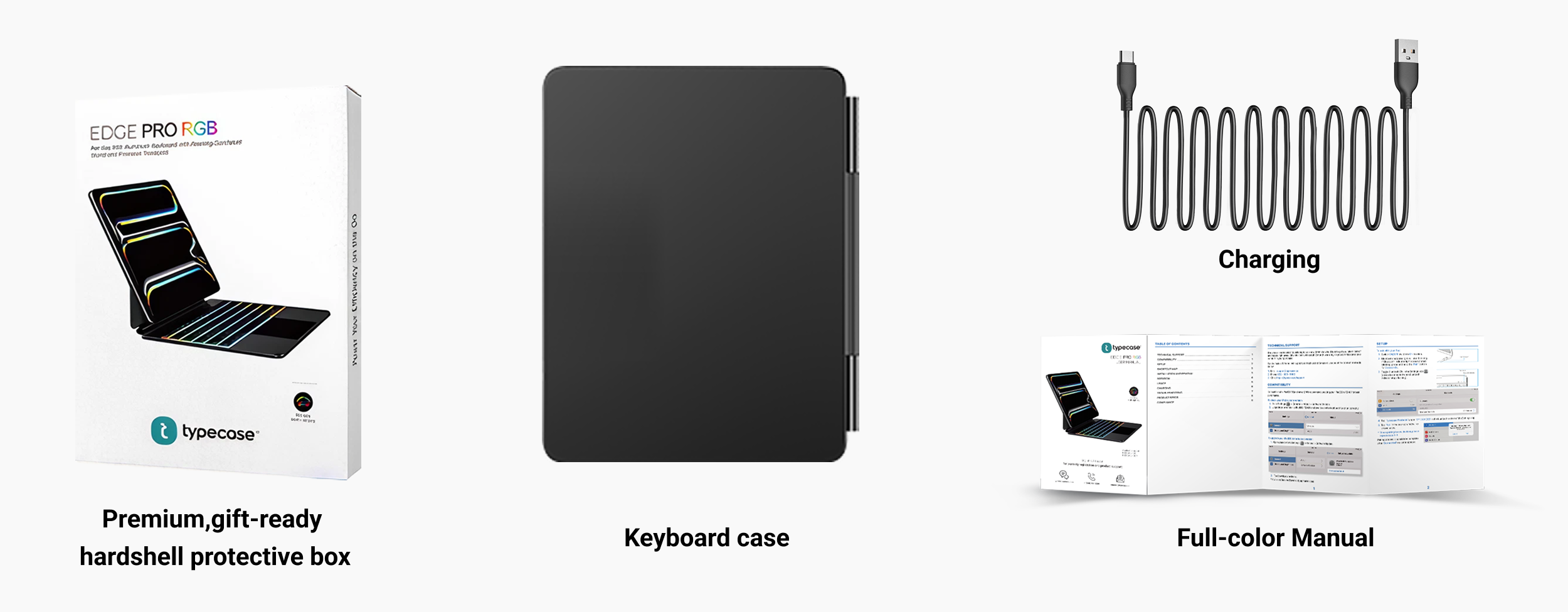
The case comes with a small manual that clearly explains the keyboard and trackpad options, including function key usage, gestures, and some settings in iPadOS to modify behavior. I found the manual concise and very easy to understand.
It's all not perfect, though.
The case connects via Bluetooth and doesn't offer pass-through charging, so you need a separate charging device or cable for it. I have a PD charging cable that shows wattage level, and I can see it charging at around 1W. I haven't run the battery down yet, so I don't have an idea of how long the charge lasts or how long it takes to charge fully. Luckily, my iPad Pro is extremely power-efficient and can last a few days on a single charge, so this isn't a big deal.
There is a limit to the hinge openings. The main hinge opens to almost (but not quite) 90 degrees max, and then the cantilevered hinge opens to around 45 degrees or so max. I don't own an Apple model to compare it to, but based on my demoing at a store, this seems to be very similar. Still, I would've liked for it to open wider, as a personal preference.
The trackpad has physical clicking and does not offer haptic feedback. So, clicking feels solid, but after using a haptic-enabled trackpad, I found myself missing those little haptic features and having to get used to the excessive downward motion of the trackpad to physically click.
The flap that the Apple Pencil fits into is a little awkward. It does magnetically secure to the back when the case is open, but I found a couple of times it didn't fully latch with the magnets and hung in the air behind the iPad. After a few tries, I got a feel for how to maneuver the flap so that it stays secured. The Apple Pencil can attach to the side of the iPad for charging while in the flap, which is nice, but you will have to adjust it to where the magnets are aligned properly.
In comparison to the Apple MK model for my iPad, I would've preferred to have a taller trackpad and a shorter row of function keys like the Apple one, but this is a little over 1/3 the price. And for that price, it's a winner.
I’m very impressed with this product. It’s a high quality keyboard case for the iPad Pro 11 M4.
I love this ipad case great quality easy to use. Portable so I could take it with me. Keyboard is easy to use and holds charge for a long time
I love this ipad case great quality easy to use. Portable so I could take it with me. Keyboard is easy to use and holds charge for a long time
This is a great compact keyboard that magnetically holds the iPad and maintains its tilt angle without a brace. The keyboard is comfortable, easy to touch type and it holds a charge for a very long time, I purchased it over 2 months ago and charged it once and it still has plenty of charge.
This is a great compact keyboard that magnetically holds the iPad and maintains its tilt angle without a brace. The keyboard is comfortable, easy to touch type and it holds a charge for a very long time, I purchased it over 2 months ago and charged it once and it still has plenty of charge.
Absolutely love it, it’s super thin and weighs nothing. I really wanted a thin keyboard to make my iPad Pro super portable and light weight, it feels super high quality well made does a good job keeping the iPad up . Highly recommend . Touchpad works great too
Absolutely love it, it’s super thin and weighs nothing. I really wanted a thin keyboard to make my iPad Pro super portable and light weight, it feels super high quality well made does a good job keeping the iPad up . Highly recommend . Touchpad works great too
I can't say enough good things about this keyboard. I bought one for my Ipad. Once my wife saw it she had to have one as well. We both love them. I have large male hands, and the keyboard is a bit tight for me but works quite well. The flip up design is so easy and works on your lap or a table . Very satisfied.
Quality:
Solid construction
Value for money:
Little pricey compared to others, but there is a reason.
Ease of use:
all good
Fits the tablet and works great.
Fits the tablet and works great.
Case fits and is easy to install, it is sturdy and does what it is suppose to. Overall great purchase
Case fits and is easy to install, it is sturdy and does what it is suppose to. Overall great purchase

For iPad Pro 11 (M5/M4), iPad Pro 11 (4th/3rd/2nd/1st Gen), iPad Air 11 (M4/M3/M2), iPad Air 10.9 (5th/4th Gen)

For iPad Air 11 (M4/M3/M2), iPad Pro 11 (4th/3rd/2nd/1st Gen), iPad Air 10.9 (5th/4th Gen), iPad (A16), iPad 10th Gen

For iPad Pro 11 (4th/3rd/2nd/1st Gen), iPad Air 11 (M4/M3/M2), iPad Air 10.9" (5th/4th Gen), iPad 10th Gen iPad (A16)


